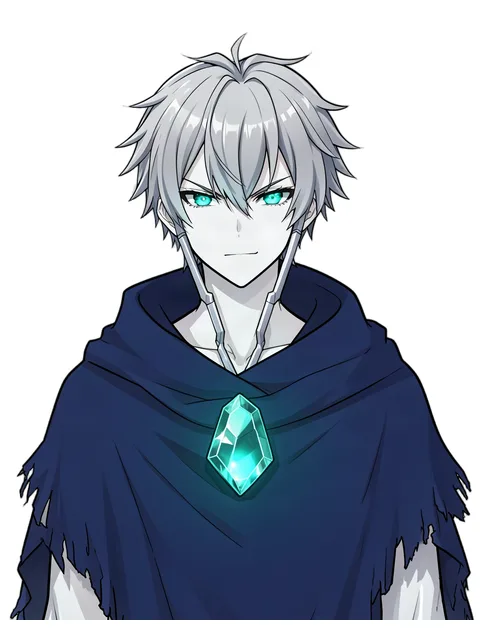
PNGTuber Maker
Create an original streaming avatar with matching talking and expression frames: no drawing, rigging or 3D software needed.
What is a PNGTuber?
A PNGTuber is a streamer or video creator who appears on screen as a simple 2D image instead of a webcam or a fully rigged VTuber model. The basic setup uses two images, one with the mouth closed (idle) and one with the mouth open (talking), and streaming software swaps between them when you speak. Many PNGTubers add blinking frames and extra expressions like happy, surprised or angry.
PNGTubing is the easiest way to start streaming as a character: no expensive model, no face-tracking camera and no rigging.
What this PNGTuber maker creates
- Idle and talking frames of the same character, perfectly aligned
- Blink frames for a more natural look
- Expression set: happy, sad, surprised, angry and embarrassed
- Transparent PNG files at streaming resolution, ready to drop into your setup
- A character profile: name, personality and lore you can use in your channel bio
How to make a PNGTuber
- Design your character. Describe your avatar or start from a character you made in the Character Creator.
- Choose a framing. Bust (head and shoulders) works best for most streams; half-body gives you more room for gestures.
- Generate your frames. The PNGTuber maker creates the idle, talking, blink and expression images in one batch, so they all match.
- Download and set up. Download the ZIP, then load the images into your PNGTuber app or into OBS with a voice-activated image switcher.
Frequently Asked Questions
What is the difference between a PNGTuber and a VTuber?
A VTuber usually uses a rigged 2D or 3D model that follows your face and body movement through a camera. A PNGTuber uses a few static images that switch when you talk. PNGTubers are cheaper and faster to set up; VTuber models are more expressive.
What software do I need to use a PNGTuber avatar?
You need streaming software such as OBS and either a dedicated PNGTuber app or a plugin that switches images based on your microphone. The images from this tool are standard transparent PNG files, so they work with any setup that accepts PNG images.
Do the images have a transparent background?
Yes. Every frame is exported as a PNG with a transparent background, so your avatar sits cleanly on top of your game or stream layout.
Can I use my PNGTuber on Twitch and YouTube?
Yes. Avatars you create are yours to use on your streams and videos. See our Terms of Service for details.
How many credits does a PNGTuber set cost?
A full set (idle, talking, blink and five expressions) costs 16 credits. New accounts get 10 free credits to try the tools.
More tools
For streamers
Avatars, frames and emotes of one character
Create a character
Character art with a name, personality and backstory
Character art plus name, personality and backstory.
Original characters in an anime art style.
Roll a complete random character with art.
Cute chibi characters and blank chibi bases.
Design a SFW fursona from any species.
Story and names
Text-only sheets, backstories and names