If you want to know how to make a VTuber model yourself, the good news is that free or low-cost software covers every stage. It takes patience more than money. This guide walks through the process and points out where beginners usually get stuck.
How to Make a VTuber Model: 2D and 3D, Step by Step
October 31, 2026
How to make a VTuber model yourself: design the character, pick 2D or 3D, prepare the art, rig it, test the tracking, and what each stage takes.
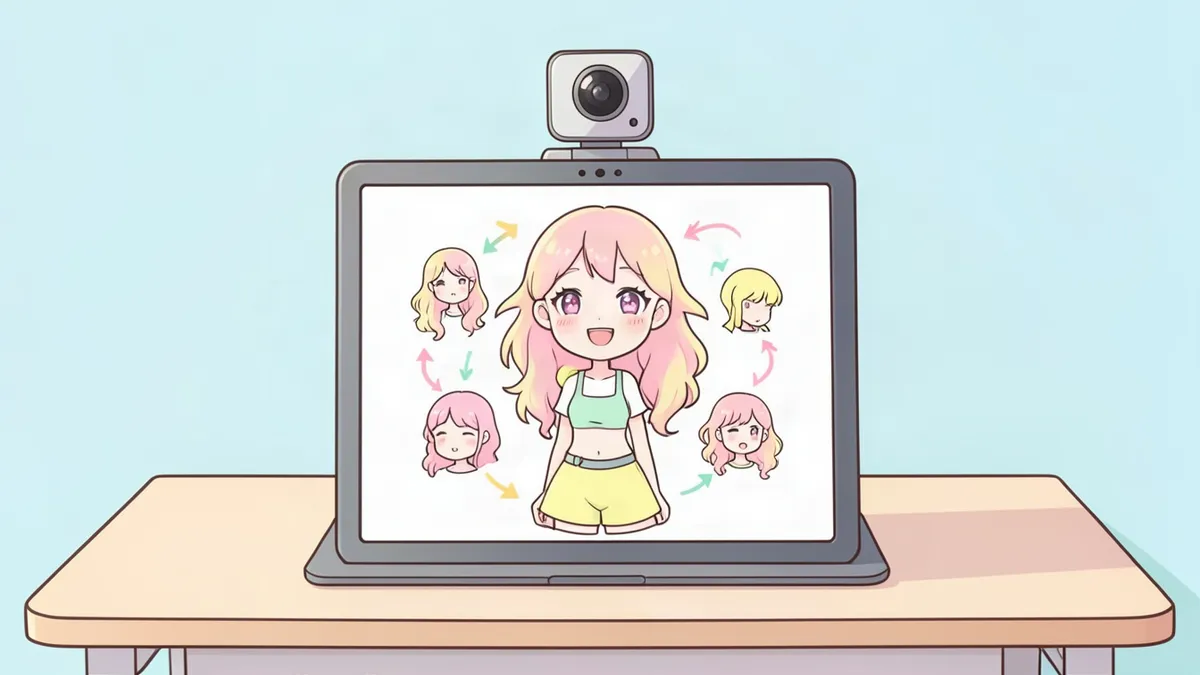
how to make a vtuber model
how to make a vtuber avatar
vtuber model
vtuber design
How to make a VTuber model: the short version
- Design the character and put it on a reference sheet.
- Choose a 2D or a 3D model.
- Build the art: layered drawing for 2D, a mesh for 3D.
- Rig it so the face and body can move.
- Test it with face tracking and fix what looks wrong.
Step 1: Design the character first
Don't open any model software yet. A model takes days or weeks to build, and changing the design halfway means redoing work.
Write down the persona in one line, such as "a sleepy moth librarian who streams puzzle games." Then settle the look:
- A silhouette people can recognize from the hair, ears or horns alone
- Three to five main colors
- One signature feature, like a crescent hair clip or mismatched eyes
- A face simple enough to animate
Put it on a VTuber reference sheet: a front view, a back view, color swatches and close-ups of small details. Our character reference sheet guide shows the layout.
If you can't draw the design, the VTuber Maker generates front-facing character art from a description, with a color palette and optional side and back views. That gives you a design to build from. It does not give you a model that moves.
Step 2: Choose 2D or 3D
- Pick 2D if you can draw, or plan to pay an illustrator, and want the hand-drawn anime look.
- Pick 3D if you want the fastest free route or want your avatar to turn and move its arms.
Not sure? Read the VTuber model guide for a side-by-side comparison.
How to make a 2D VTuber model
Draw the art in layers
Draw the character facing forward at high resolution, with every part that moves on its own layer. For the head alone that means: front hair, side hair, back hair, each eyebrow, upper lashes, lower lashes, eye whites, irises, upper lip, lower lip, the inside of the mouth, teeth and tongue.
Two rules save you later:
- Paint what's hidden. Finish the forehead under the bangs and the neck under the chin. When the head turns, those areas show.
- Name your layers. "Hair front left" beats "Layer 47 copy."
Rig it
Import the layered file into rigging software. Live2D Cubism is the standard, and it has a free version with limits. The basic order:
- Add a mesh to each piece so it can bend.
- Set up blinking and mouth movement first. They matter most on stream.
- Add head turning left and right, then up and down.
- Add body lean and breathing.
- Add physics so hair and accessories sway.
Our VTuber rigging guide explains what each of those involves.
Export and test
Export the model and load it in a tracking app such as VTube Studio. Sit in front of your webcam, talk, look around and make faces. Write down what looks wrong, go back and fix it. Expect several rounds.
How to make a 3D VTuber model
The quick route
VRoid Studio is a free avatar creator. You shape the face with sliders, paint or pick hair, choose clothes and export a VRM file. A first model is possible in an afternoon. To make it yours, repaint the textures: eyes, skin details and clothing patterns are just images you can edit.
The from-scratch route
Sculpting in general 3D software gives full control and takes much longer. You model the mesh, paint textures, build a skeleton, bind the mesh to it and create blendshapes for each expression and mouth shape. This is a real skill that takes months to learn well.
Test it
Load the VRM into a 3D tracking app and check the same things: blinking, mouth shapes, head turns and whether hair clips through the shoulders.
How long does it take?
Rough numbers for a first attempt, working in your free time:
- Design and reference sheet: a few days
- 2D layered art: one to three weeks
- 2D rigging: one to four weeks while you learn the software
- 3D with an avatar creator: an afternoon to a weekend
- 3D from scratch: months
How to make a VTuber avatar without rigging
If rigging sounds like too much right now, a PNGTuber avatar lets you stream as your character this week. It's a set of still images, mouth closed and mouth open at minimum, that switch when you talk. The PNGTuber Maker creates matching idle, talking, blink and expression frames as transparent PNGs. Many streamers start this way and build a full model later.
Common first-model mistakes
- Merging layers too early, which leaves nothing to move
- Drawing the eyes as one flat piece, so the character can't blink
- Skipping the test stream and discovering a broken mouth on debut night
FAQ
Can I make a VTuber model for free?
Yes. VRoid Studio makes 3D models for free, and Live2D Cubism has a free version with limits for 2D. Tracking apps and OBS have free options too. What you spend is time.
Do I need to know how to draw?
For a self-made 2D model, yes, or you need someone to draw the layered art for you. For 3D, an avatar creator with sliders and presets needs no drawing at all.
What's the easiest way to make a VTuber avatar?
A PNGTuber is the easiest: two or more still images that swap when you speak. Next easiest is a 3D model from a free avatar creator. A custom rigged 2D model is the most work.
What should a VTuber reference sheet include?
A front view, a back view, color swatches with hex codes, close-ups of the face and accessories, and a few personality notes.
Related Posts
Oct 23, 2026
VTuber Model Guide: 2D vs 3D, Parts and Ways to Get One
What a VTuber model is, how 2D and 3D VTuber models differ, the parts inside one (art, rig, expressions, toggles) and the main ways to get your own.
Oct 13, 2026
61 Things to Draw When Bored (Easy, Fun and Quick)
61 things to draw when bored, sorted by how much time you have: two-minute doodles, desk objects, drawing games to play alone and longer scenes.
Oct 27, 2026
Female Demon Names: 82 Original Names With Meanings
Female demon names for fantasy stories and OCs: 82 original names with invented meanings, from queens and deal-makers to cute girl demon names.